Everything Facet Launcher does

A closer look at what's actually built and available today.

Facets

Switch your whole setup in one tap

Up to ten facets, each a fully independent launcher configuration: its own favorites, list layout, clock style, and calendar settings. Swipe left on the home screen to browse live preview cards and switch instantly, or drop into Settings to reorder, rename, or fine-tune each one.

  • Live preview cards render each facet's real clock, favorites, and calendar
  • Per-facet override for apps list, dock content, clock & calendar style
  • Built-in automation: switch facets by schedule, Wi-Fi network, Bluetooth device, headphones or battery level, and choose what happens when a rule ends
  • Every facet is also an app shortcut, so automation apps can switch it too
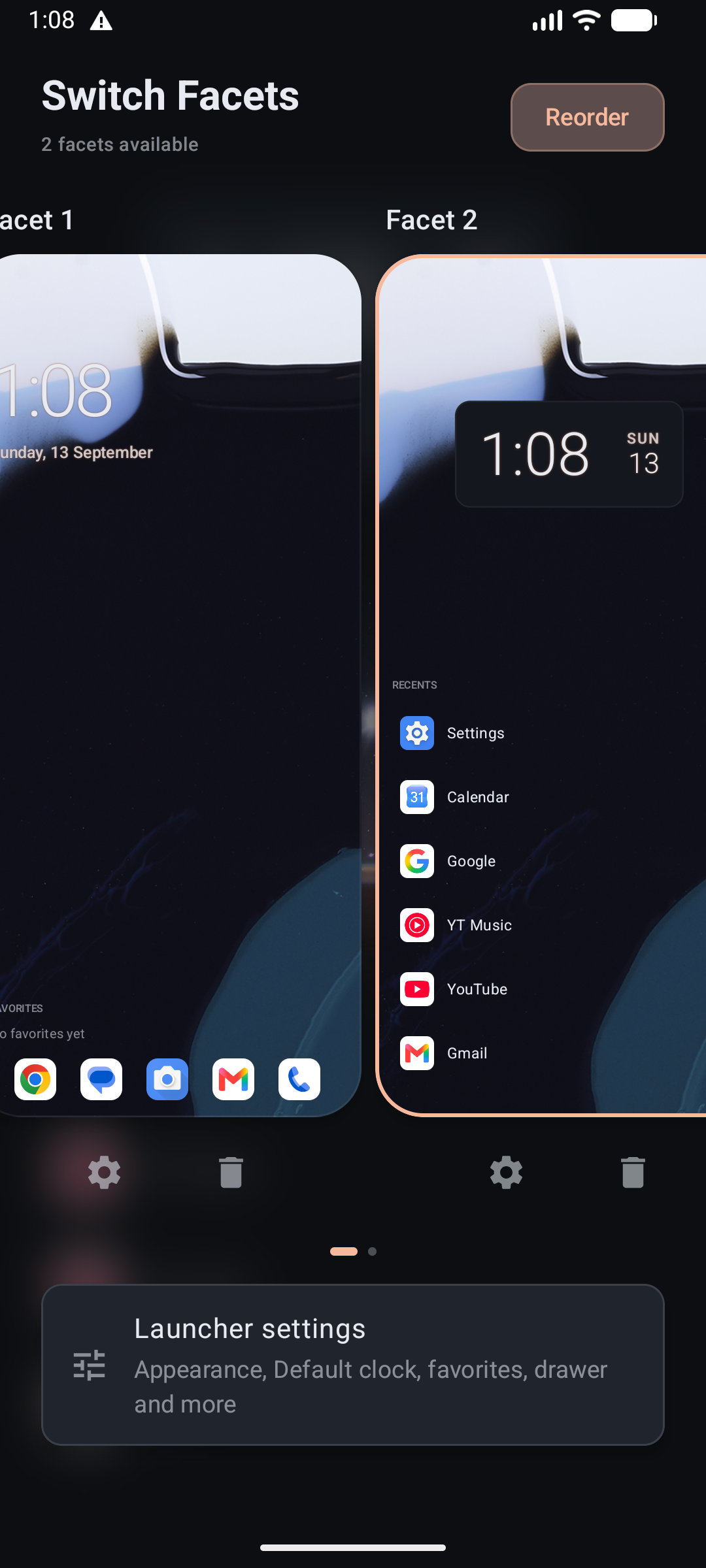
Two facet preview cards side by side in the facet switcher
Home & clock

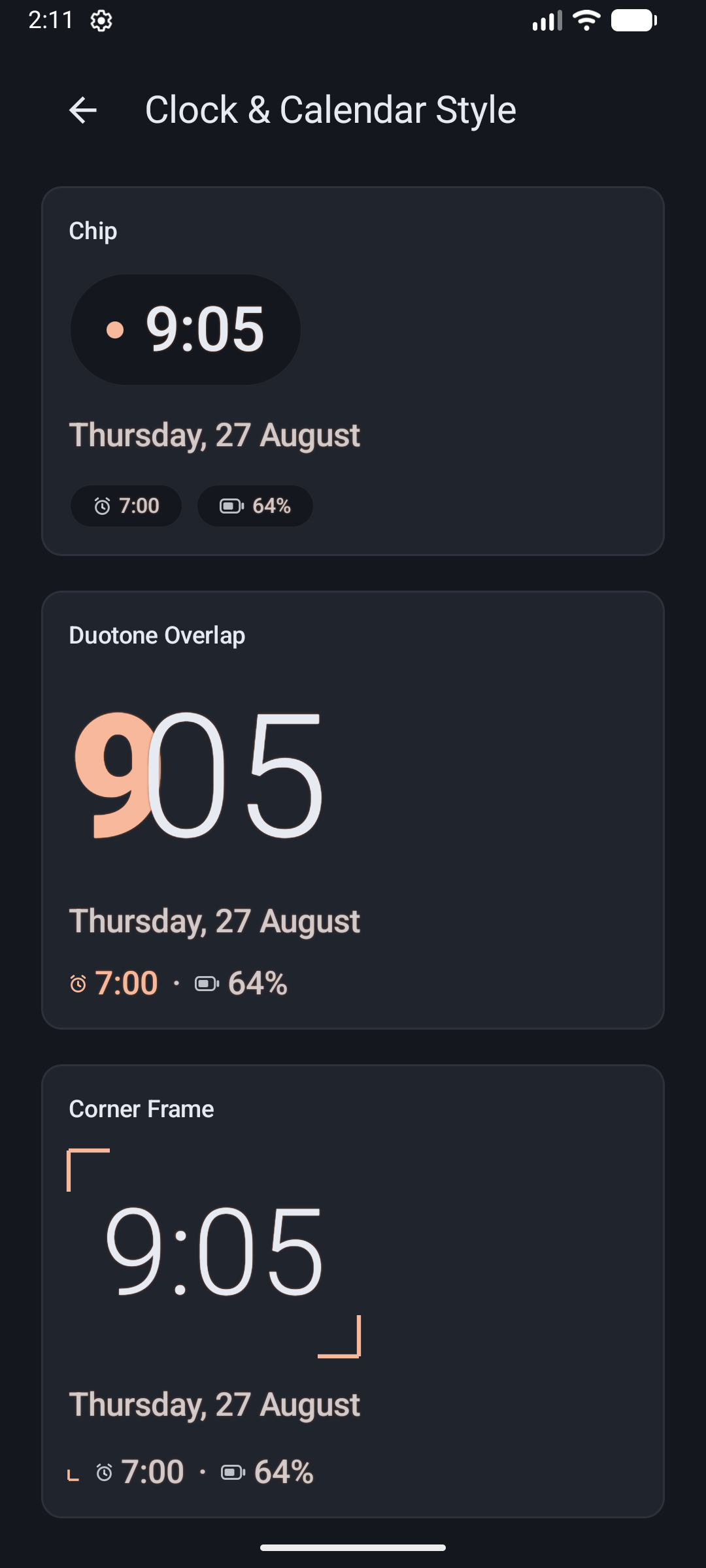
30+ clock styles, fully re-themeable

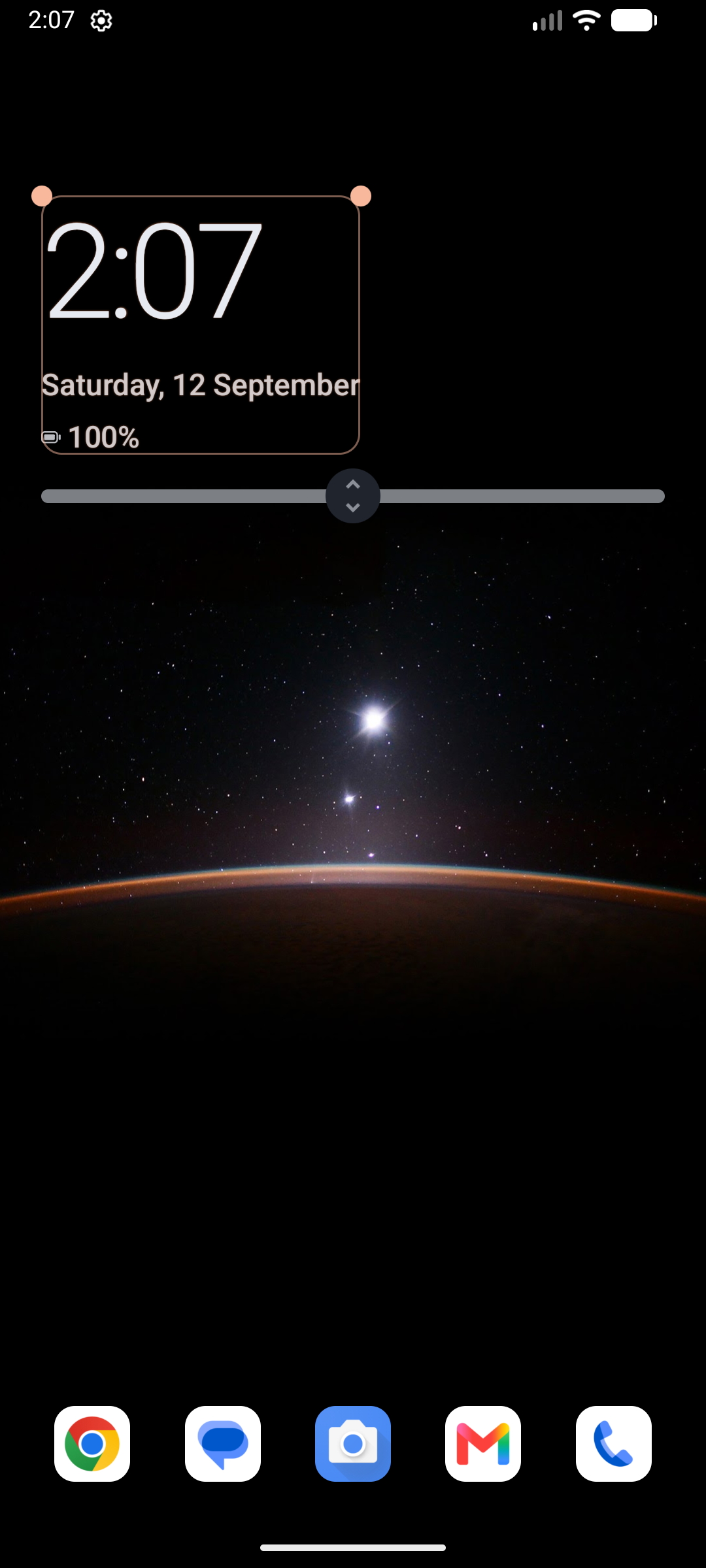
From clean typographic layouts to shape-based marks, every clock template supports its own font, color, weight and alignment. Drag to resize and reposition, or hand-pick a style per facet.

  • Upcoming calendar events under the clock, from today until noon tomorrow: show one to three, with an optional color bar per calendar
  • An optional media player row with album art, song details, playback controls and a progress bar
  • Swap the clock for any widget, per facet
  • Lay your apps out as a single column, two columns or a grid, and pick squircle, rounded, circle or square icons
Clock style gallery showing Chip, Duotone Overlap, and Corner Frame templates
Dragging to resize and reposition the clock on the home screen
App drawer

List or grid, your call

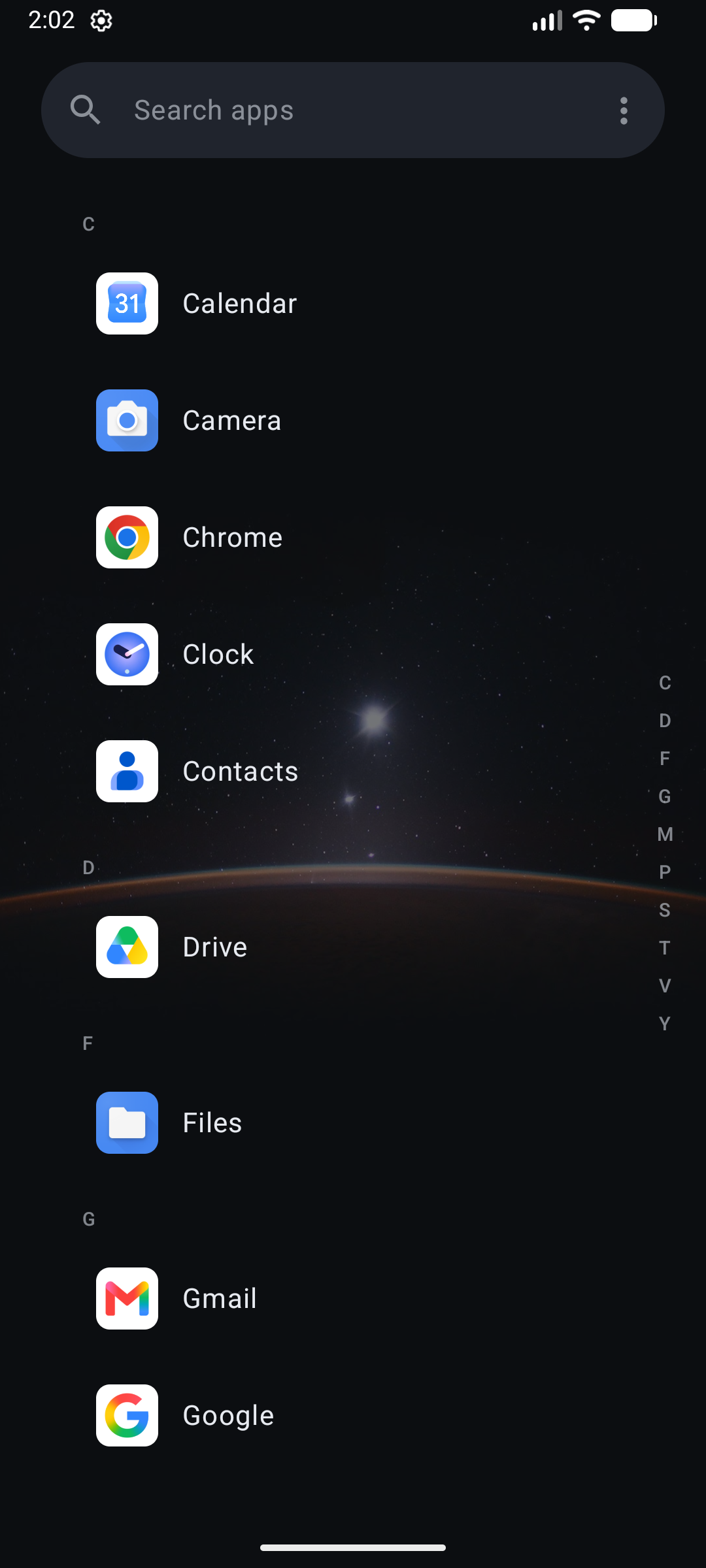
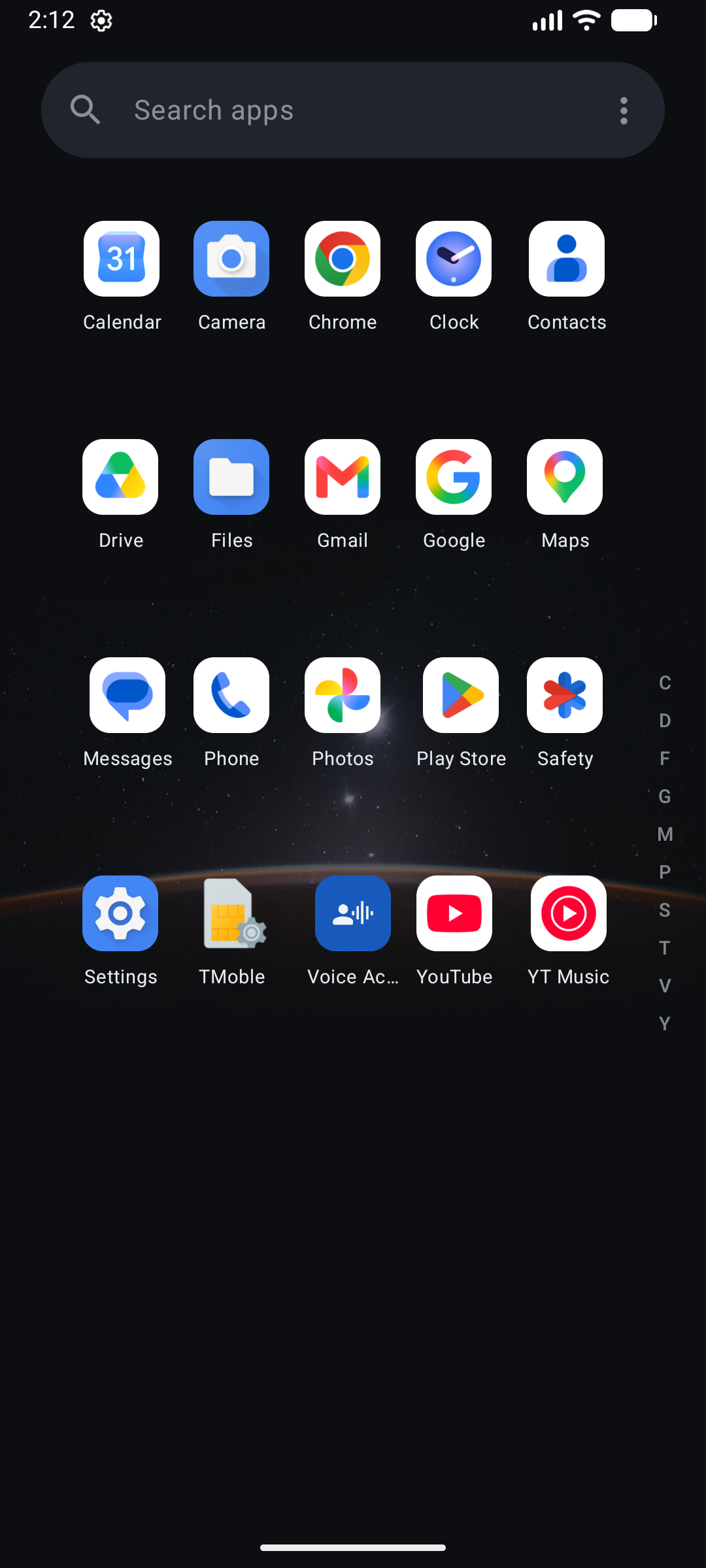
A letter-indexed list with an alphabet rail for easy navigation, or a dense grid if you prefer. Type to search across your apps and, optionally, your Settings and Contacts, with quick actions like call or message right from the result.

App drawer in list view with the alphabet rail
App drawer in grid view
Widgets

Widgets have their own home

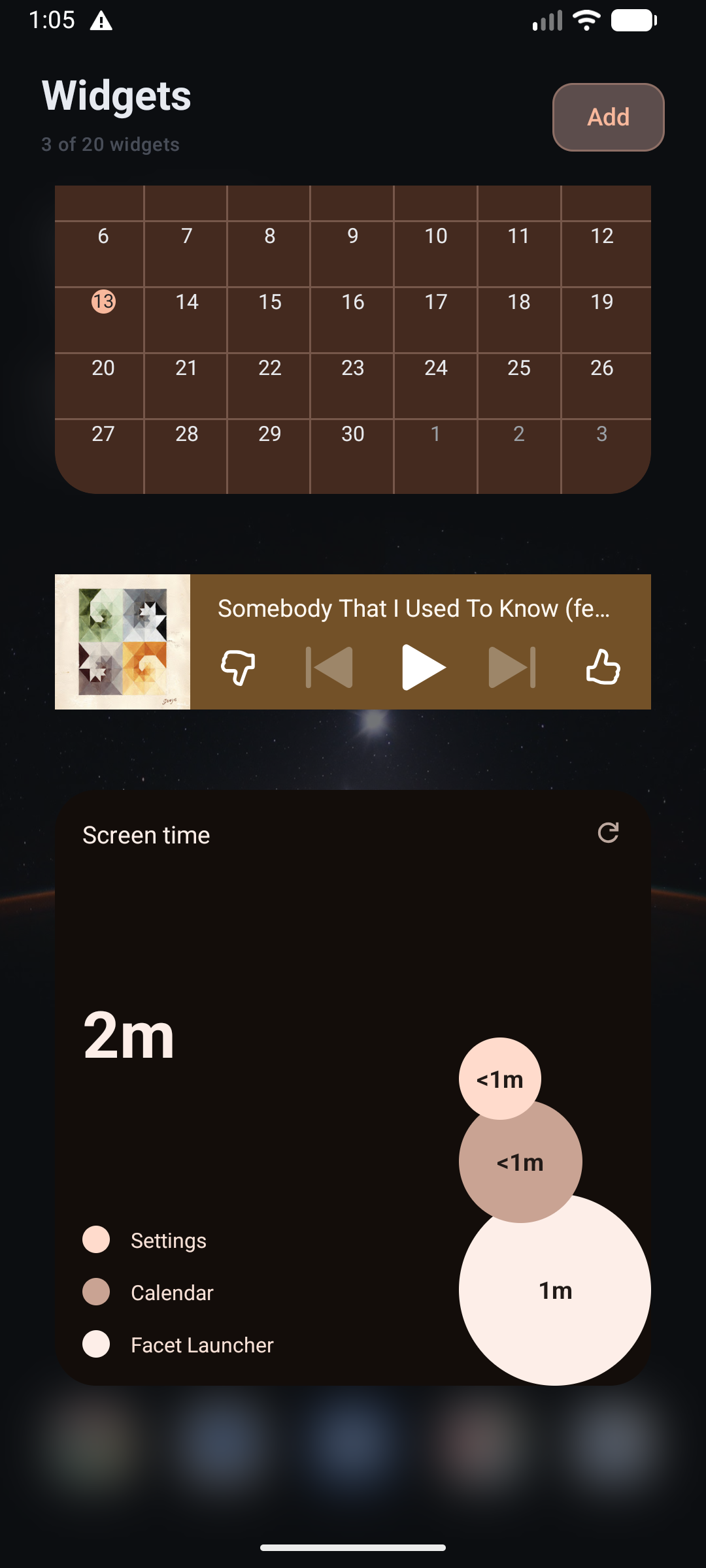
Widgets get their own dedicated surface a swipe away from your home screen, instead of crowding your app list. Add up to 20, drag to reposition, and resize freely.

The Widgets screen showing a calendar and music player widget
Privacy

Your data stays on your phone

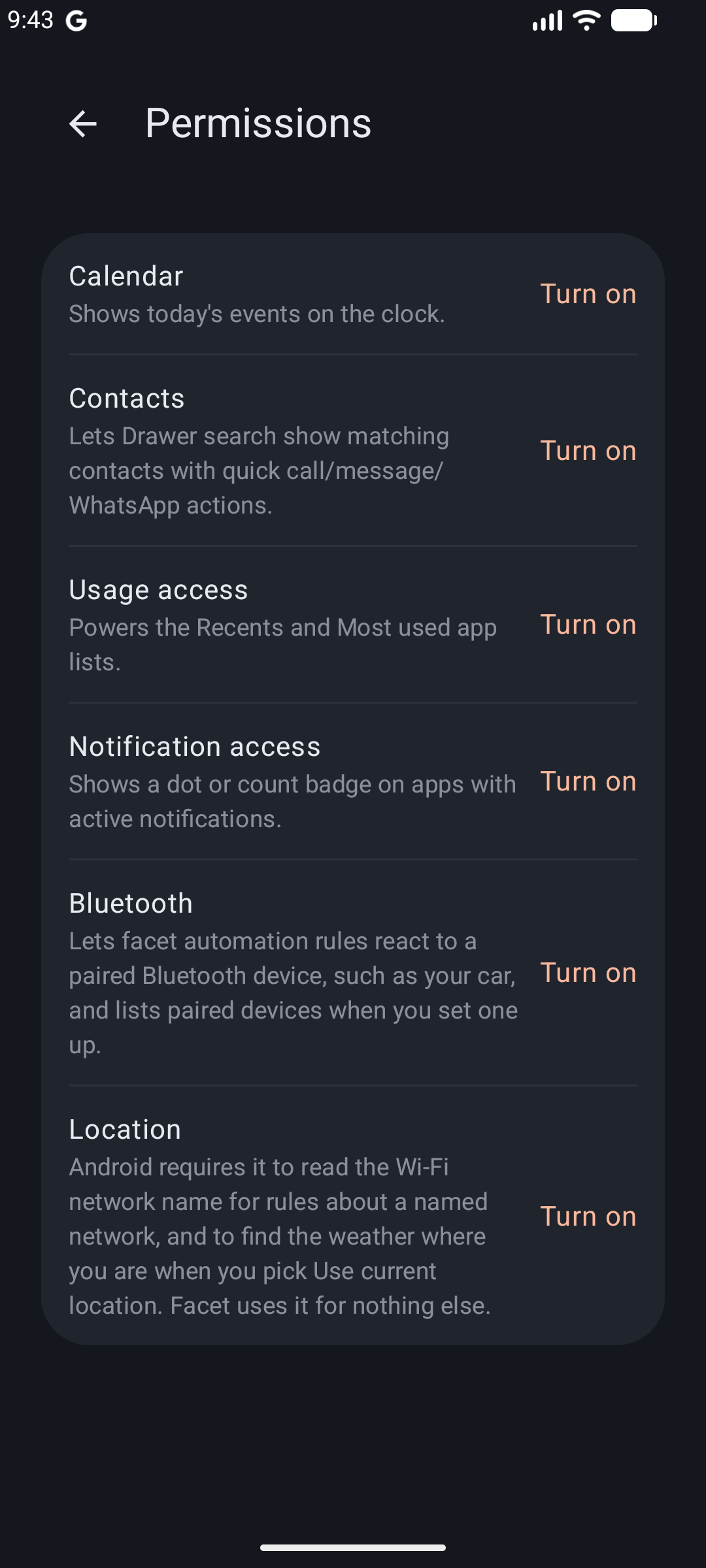
There's no server, no account, no analytics and no ads. Everything runs on your phone. The optional exceptions are weather, which asks a weather service for a forecast for an approximate location, and Daily photos, which fetches Bing and Spotlight photos from Peapix. Nothing else leaves your device.

Read the full privacy policy →

Permissions screen listing what each optional permission is used for

Join the community

Facet Launcher is in active development. Come chat, share feedback, or follow along on Discord.

Get it on Google Play